Block Shorts
and Reels.
Free.
Retakr turns off the infinite feed inside YouTube and Instagram without deleting either app. It blocks any app or website too, runs entirely on your phone, and the blocking costs nothing.
Three taps.
Then the app won't open.
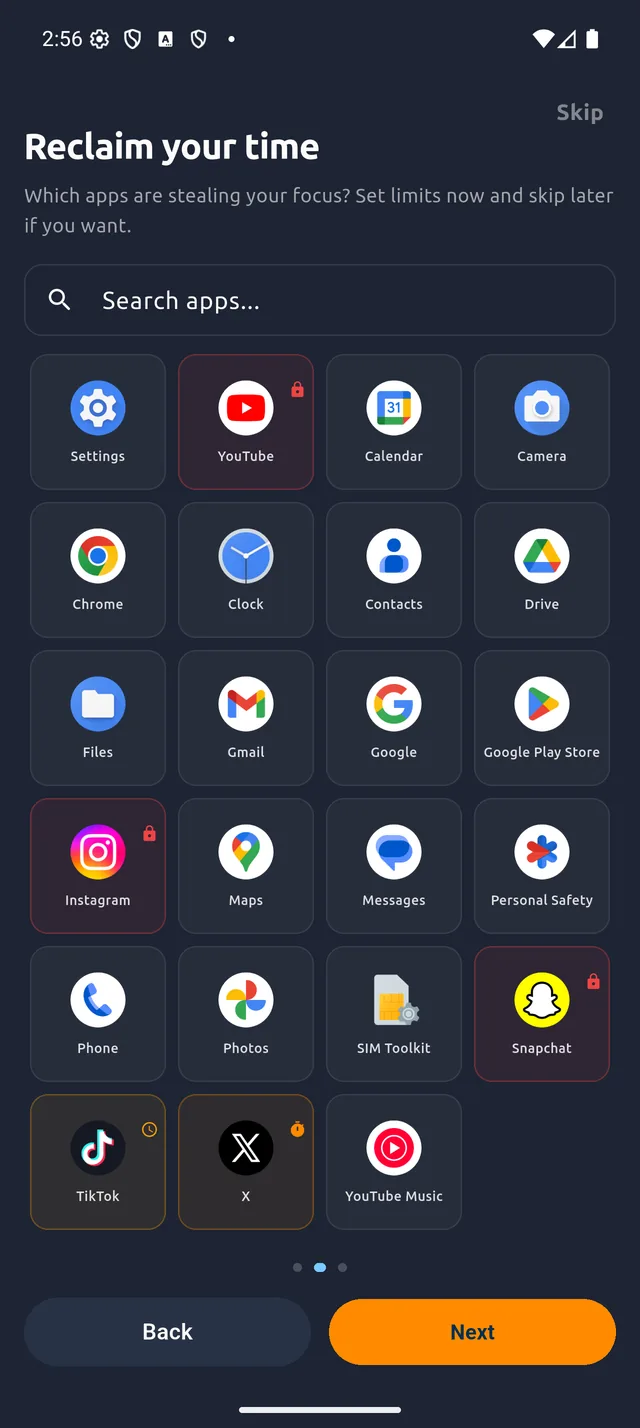
Pick what eats your day
YouTube, Instagram, TikTok, X, a game, anything you have installed. Add websites by address.
Choose a rule
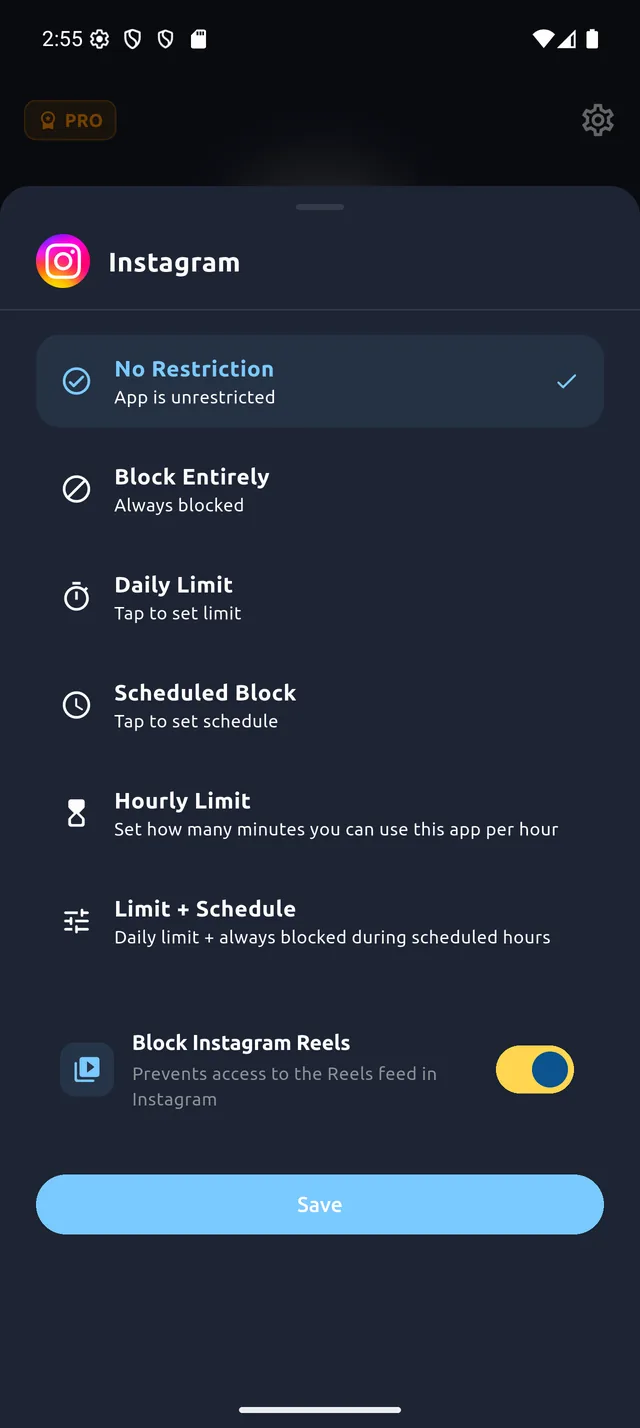
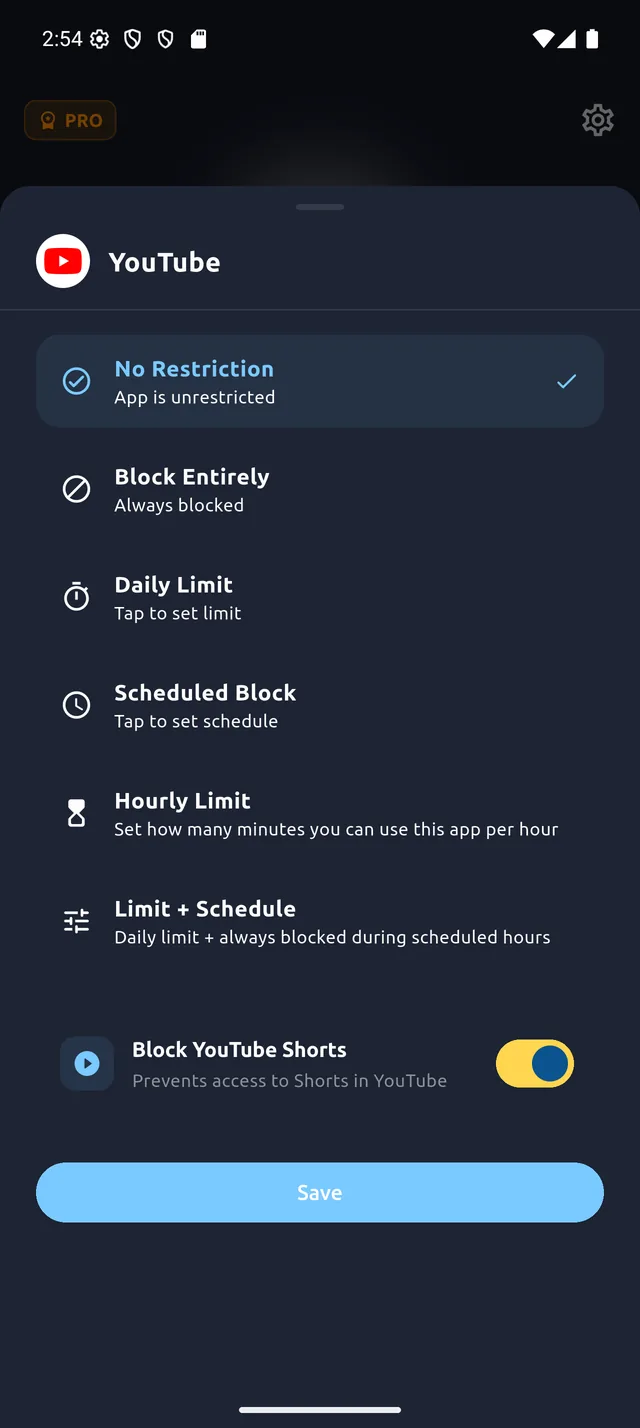
Block it outright, cap it daily or hourly, set blocked hours, or keep the app and just switch off Shorts.
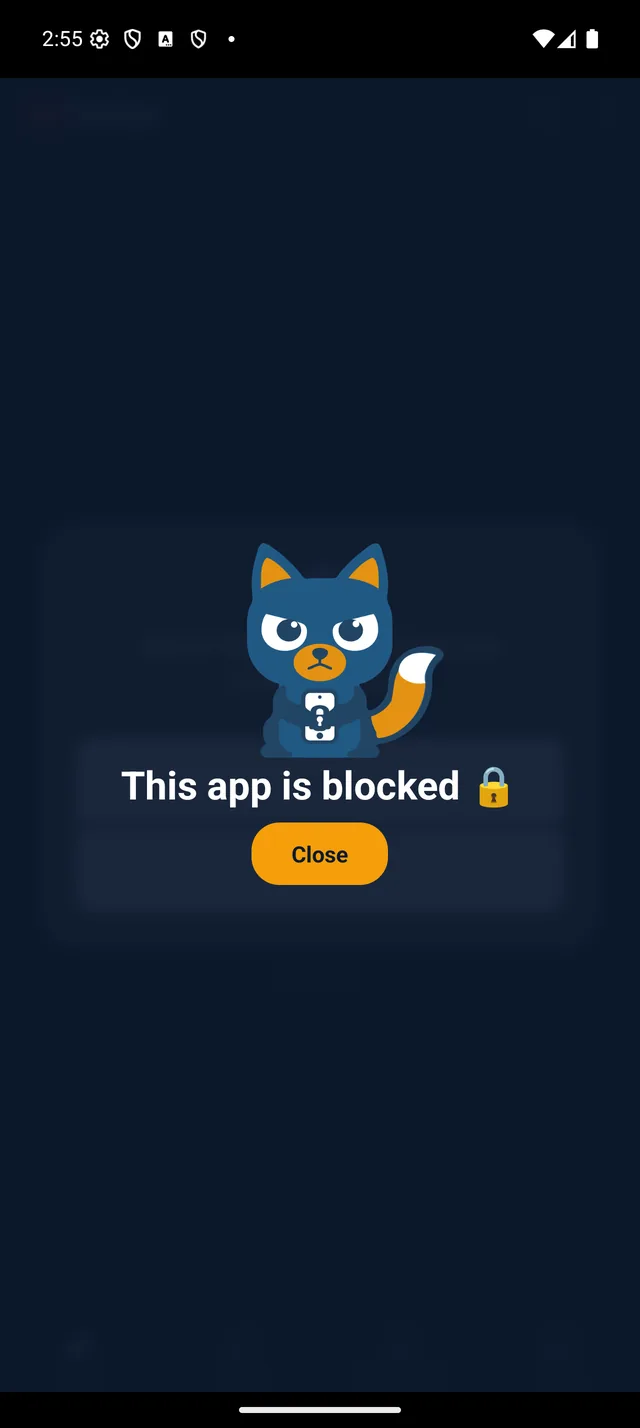
It just doesn't open
Retakr catches it at the system level and shows this instead. The only button is Close.
Swipe for the next step
Keep the apps.
Lose the scroll trap.
Keep Instagram.
Lose Reels.
Messages, stories and your friends' posts still work. The Reels feed doesn't load. YouTube gets the same treatment: regular videos play, Shorts don't.
- Instagram Reels blocking
- YouTube Shorts blocking
- No need to delete either app
Filter the whole web.
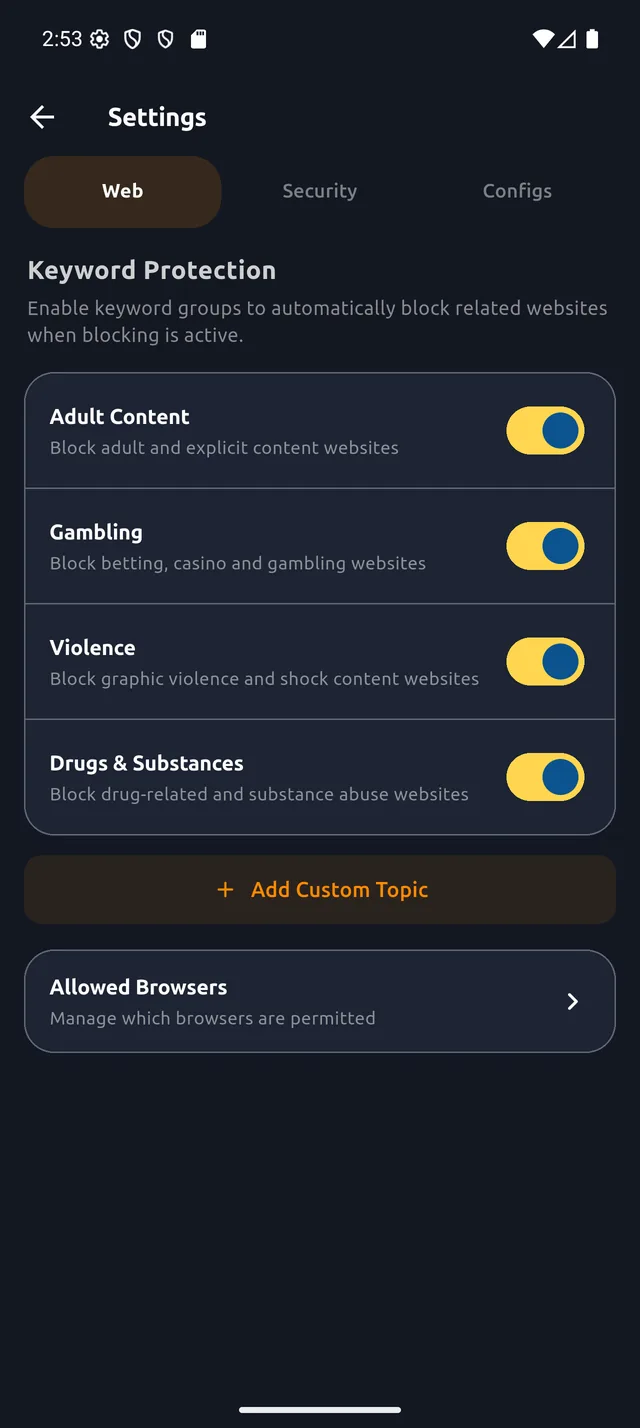
Keyword Shield blocks adult, gambling, violent and drug-related pages in the browsers you allow. All four built-in topics are included for free.
- Works across your allowed browsers
- Block specific sites by address, unlimited
- Checked on the phone, never sent anywhere
Stop relying on willpower.
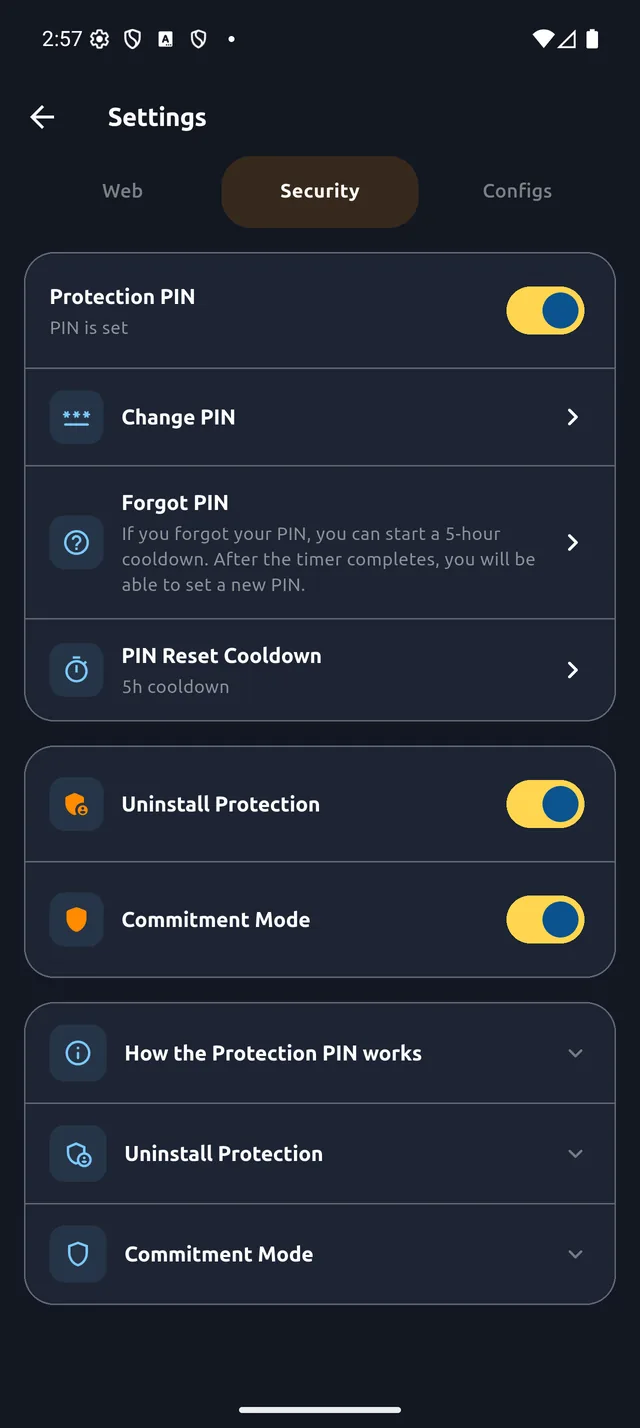
A blocker you can switch off whenever you like only works when you don't want to switch it off. Pro locks your rules in, so keeping them doesn't depend on how you feel at 1am.
- 8-digit PIN on every action that loosens a rule
- Commitment Mode blocks the Android settings used to switch Retakr off
- Uninstall protection
- Forgot the PIN? A reset cooldown you choose in advance, 1 min to 8 hours
No trial. No catch
on the blocking.
Unlimited apps
Block as many as you like.
Unlimited sites
Any address, any allowed browser.
5 rules per app
Block, daily, hourly, scheduled, or both.
Blocking profile
One setup free, unlimited with Pro.
Works offline
No network needed to block.
No account
Install and go. No sign-up.
All the blocking is free.
You pay to stop yourself undoing it.
Pro is a one-time purchase through Google Play. No subscription, no renewal.
| Feature | Free | Pro |
|---|---|---|
| Blocking | ||
| Block apps | Unlimited | Unlimited |
| Block websites | Unlimited | Unlimited |
| Block, limit, schedule (5 modes) | ||
| Instagram Reels and YouTube Shorts | ||
| Keyword Shield, 4 built-in topics | ||
| Blocking profiles | 1 | Unlimited |
| Custom keyword topics | ||
| Lock it down | ||
| PIN on 10 protected actions | ||
| Commitment Mode | ||
| Uninstall protection | ||
| Adjustable PIN reset cooldown | ||
Try to loosen a rule.
It asks for the PIN.
With Pro on, any change that would weaken your setup goes through the PIN you chose. A wrong PIN is rejected and nothing changes.
The PIN guards:
- Turning blocking off
- Editing or removing a blocked app or site
- Switching off a web filter or changing allowed browsers
- Disabling uninstall protection or Commitment Mode
- Changing the PIN, or its reset cooldown
Free forever
Everything in the Free column, with no time limit and no ads.
Pay once, keep it
Try Pro free for 7 days inside the app, no payment needed. After that it's a single purchase, priced in your currency on Google Play.
Nothing you block
leaves your phone.
No servers, no accounts, no analytics. Your habits are your business.
No account, no servers
Your rules and PIN are saved on your phone and never sent to us.
Works offline
Blocking works with or without a connection. Normal use makes no network calls.
URL checks stay in memory
The browser address is checked against your rules and thrown away. It is never logged.
Delete it any time
No account to delete and no support ticket. Clear the app data or uninstall.
Fair questions.
Is the blocking actually free? What's the catch?
Every blocking feature is free with no time limit: unlimited apps and sites, all five restriction modes, Reels and Shorts blocking, and the four built-in web filters. There are no ads.
Pro is a one-time purchase that adds the lock: a PIN, Commitment Mode, uninstall protection, custom topics and unlimited profiles. That's how the app is paid for.
Is Pro a subscription?
No. You pay once through Google Play and keep it. You can try it free for 7 days inside the app first, with no payment needed.
Why does it need Accessibility access?
Android's Accessibility Service is how an app can tell which app just opened and what's in the browser's address bar. Retakr checks that against your rules on the phone, in memory, and discards it. Nothing is stored or sent. It also needs Usage Access to measure daily and hourly limits.
Can't I just turn it off?
On the free plan, yes. For a lot of people, the friction alone is enough.
If you're tired of relying on willpower to keep your own rules, Pro makes that harder: a PIN in front of every action that loosens a rule, Commitment Mode to block the Android settings screens used to disable Retakr, and Device Admin so it can't be uninstalled on a whim. If you forget the PIN, a reset cooldown you picked in advance (1 minute to 8 hours) lets you set a new one.
Is there an iPhone version?
No. Retakr depends on Android's Accessibility Service, Usage Access and Device Admin to enforce blocks. iOS doesn't give apps that level of control, so an iPhone version would be weaker at the one thing Retakr is for.
Which Android versions does it support?
Android 7.0 and newer.
What data do you collect?
None. There's no account, no server and no analytics SDK in the app. Details are in the privacy policy.
Straight from
Google Play.
5.0· 9 reviews on Google Play
Retakr is a great tool to keep my phone habits in check. Thanks to this app I don’t end up doom scrolling for hours.
Huge range of options to help me get my focus back, great app!
Very useful app! Helped me a lot to control my app usage and stop endless doom scrolling.
This really helped me with my doom scrolling habits.
Turn off the feed.
Blocking is free.
Free on Google Play. No account to create.
Download freeon Google Play